
The next chapter
PCB Studio: Free PCB Design for Mac
I’m Marco. PCB Studio is a free Mac app for designing electronic boards. I’m preparing a Kickstarter to fund six months of development and a small first run of hardware designed with it.
Kickstarter is still a draft. You cannot participate or choose a reward yet.
Draft only · Pledges are not open
- The app
- Free for everyone
- Rewards
- PCB · kit · assembled · custom
- Campaign
- Draft · pledges closed
See the app in action
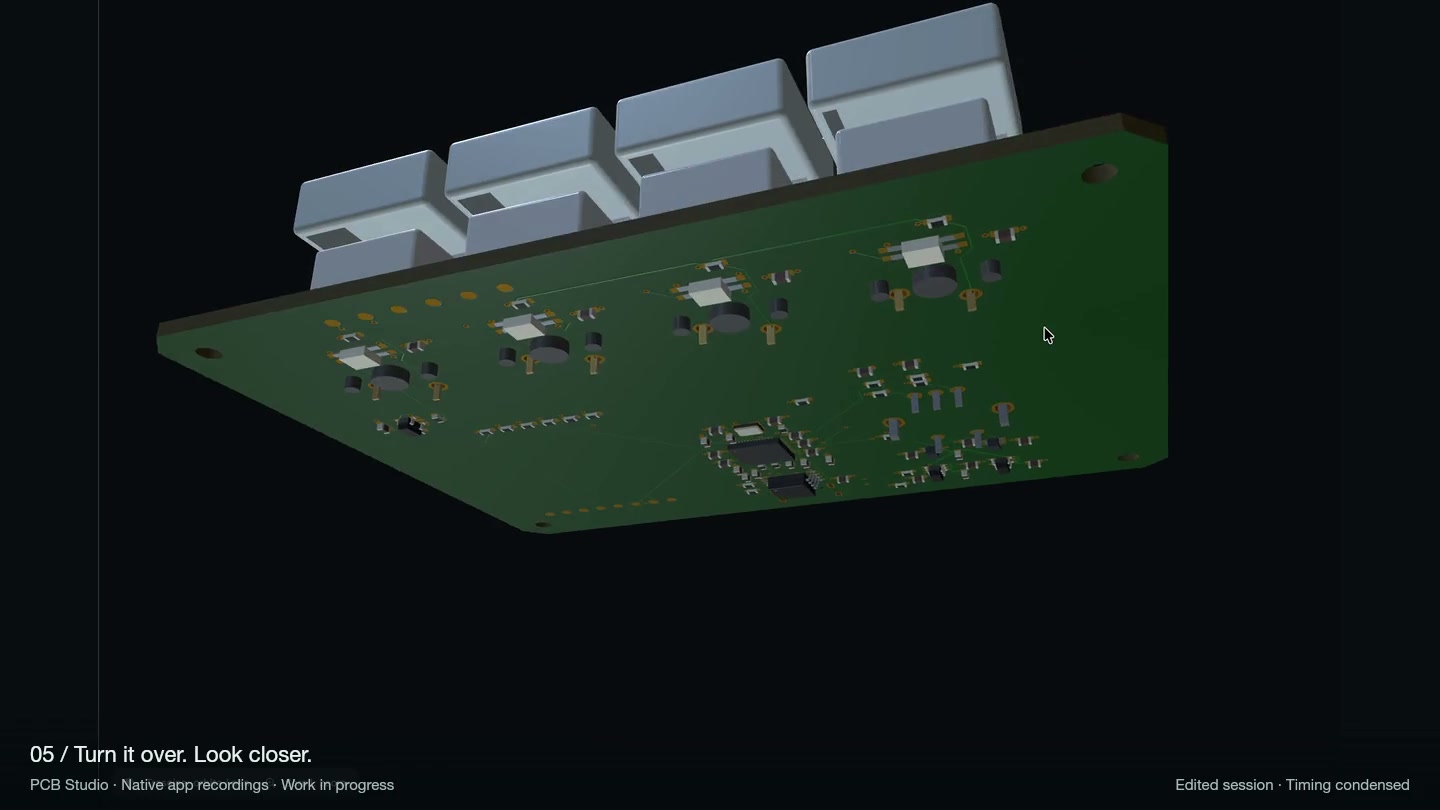
PCB Studio brings schematic design, the parts list, PCB layout and 3D inspection into one workspace. The recording shows the app running today, edited for pace.
OrbitX is one possible design for the first hardware run. I’ll publish the final device specifications and tested functions before the campaign opens.
Planned rewards
This Kickstarter is only a draft. You cannot pledge or choose a reward yet. When it opens, you’ll be able to support with any amount, including less than €20, or choose one of these limited editions. Prices are estimates; final contents, shipping and delivery dates will be stated before pledges open.
No reward — choose your amount
Support without a reward
Choose an amount that works for you. Backing does not affect access to the free app or beta.
PCB Edition — estimated €99+
PCB Edition
One bare PCB with its parts list and build guide, plus help setting up the PCB Studio beta. Components and assembly are not included. Planned limit: 10.
Builder Kit — estimated €199+
Builder Kit
A PCB, the specified keys and switches, build instructions and one 30-minute PCB Studio setup session. It is a partial kit; the remaining parts and tools will be listed before launch. Planned limit: 10.
First Build Edition — estimated €499+
First Build Edition
An assembled, functionally tested device with the final enclosure and firmware, a numbered maker card and a record of checks. You also get a 60-minute PCB Studio session and a written assessment of one feature or workflow idea. Building that feature is separate. Planned limit: 20.
Custom Edition — estimated €1,199+
Custom Edition
A First Build device plus one agreed integration or PCB Studio adaptation. We’ll agree the scope before you pledge. The work is limited to five hours total, including planning, onboarding, implementation and one revision. New board designs and third-party charges are separate. Planned limit: 3.
The app stays free
You don’t need to back this campaign to use PCB Studio. Beta access is by request and personal review; backing does not change that. Optional integrations and custom development have an agreed scope and price. Third-party AI accounts and usage are separate.
Where the €30,000 goes
The preliminary goal covers six months of development and up to 43 hardware rewards. Development tools account for about €800 a month.
These figures are estimates, not supplier quotes or a tax assessment. They include no additional founder salary. Shipping is separate.
Six months of development and a limited first hardware series, including campaign reserves. Shipping priced separately.
- €4,800 — six months of development tools and recurring costs.
- €4,200 — further prototype iterations, testing, tools, documentation and preparation.
- €7,800 — estimated direct cost of the capped hardware rewards.
- €3,000 — platform and payment fee reserve.
- €6,000 — provisional tax cash reserve; this is not a tax rate or tax calculation.
- €4,200 — contingency and remaining headroom.
What happens next
I’m finalising the device specifications, checking production costs and setting delivery dates. I’ll document the finished hardware and the functions it can actually perform before launch.
The Kickstarter campaign is still a draft. You cannot pledge or choose a reward yet. Optional support on the homepage is separate and does not reserve a reward.
Follow the build on X